
Secure your spot today.
Buy now, pay over time.
Secure your spot at any event today and pay for your tickets in installments — managed entirely inside the Mega Tickets USA app. No waiting, no missing out.
(01)What it is
Mega Payments is the installment layer of Mega Tickets USA.
It lets you lock in your ticket at full face value the moment you decide to go — and spread the cost over time in installments. Each installment is paid manually via Zelle, Venmo, Cash App, or PayPal, and confirmed after you submit a receipt inside the app. The Mega Tickets USA team verifies each payment before marking it as complete. The entire plan is tracked in the Mega Payments screen so you always know what is due and when.
(02)See it in action
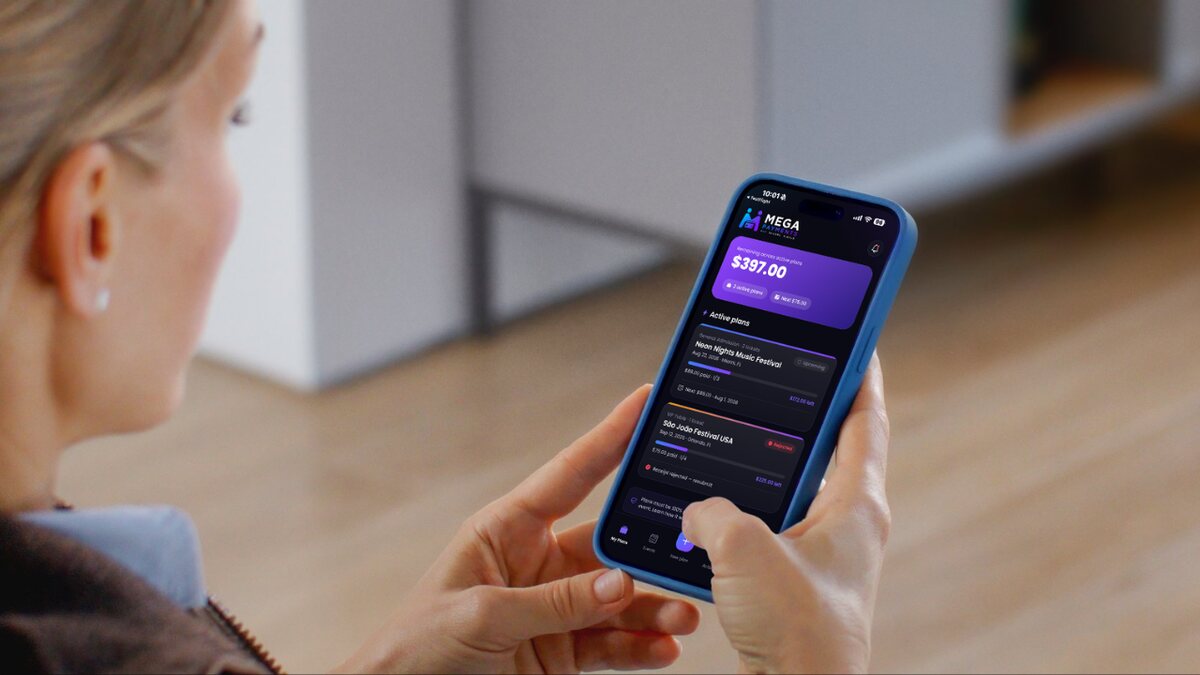
The whole plan, right in your pocket.
Pick a plan, pay in installments, upload each receipt and watch your balance drop — every payment tracked inside the Mega Tickets USA app.
(03)How it works
From checkout to event day in four steps.
Choose your event, pay each installment manually via Zelle, Venmo, Cash App, or PayPal, and upload your receipt inside the app for verification.
- 01Choose your event & select Mega PaymentsBrowse events on Mega Tickets USA, tap the one you want, and choose Mega Payments at checkout. Review the full installment schedule before confirming.
- 02Pay the first installment & submit your proofSend the first installment via Zelle, Venmo, Cash App, or PayPal using the details provided in the app. Then upload your payment receipt so the MTU team can verify it.
- 03Pay each installment & upload your receiptFor every remaining installment, send the payment manually and submit the receipt inside the app. Each one is verified by the MTU team before being marked as paid.
- 04All verified — your ticket is confirmedOnce all installments are verified, your ticket is fully confirmed. Your plan must be 100% paid and verified at least one week before the event date — plans not completed in time are automatically cancelled.
Mega Payments · Example plan
São Paulo Electronic Festival · 3 installments
- 1st InstallmentJan 10, 2026 · Zelle
- $33.00Verified
- 2nd InstallmentFeb 10, 2026
- $33.00Awaiting receipt
- 3rd InstallmentMar 10, 2026
- $33.00Upcoming
Your plan must be fully paid one week before the event.
If your installment plan is not 100% completed at least 7 days before the event date, your ticket is automatically cancelled and released for resale. Make sure all payments are completed on time. If your ticket is cancelled for non-payment, the installments you've already paid are refunded minus a 20% cancellation fee. See our Terms of Service for full details.
(04)Why Mega Payments
Your seat, secured. Your budget, intact.
Four reasons attendees choose Mega Payments when the perfect event shows up before the perfect moment to pay in full.
- Lock in your spot instantlyYour ticket is reserved the moment you complete the first installment. Event sells out? You are already in. No need to wait until you have the full amount.
- Manage everything in the appAll your installment plans live in one place inside the Mega Tickets USA app. Upcoming dates, amounts, payment history — clear and accessible anytime.
- Fully transparent — no surprisesThe complete payment schedule is shown at checkout before you confirm. The number of installments, amounts, and due dates are fixed. What you see is what you pay.
- Go to more events, spend smarterWhen big events and premium tickets don't have to compete with other expenses that month, you can say yes more often without stress.
(05)The idea behind it
A great event should not have a cash-flow problem.
Events go on sale weeks or months before the date. Mega Payments aligns your purchase with how you actually manage your money — not with when the promoter drops the lineup.
(06)FAQ
Common questions answered.
Everything you need to know about how Mega Payments works before you commit.

(07)Mega Payments
Your next event should not wait for payday.
Download the Mega Tickets USA app, choose any event, and select Mega Payments at checkout to split the cost over time. Your seat is secured with the first installment.
Start with one installment.
Get the Mega Tickets USA app and unlock Mega Payments at checkout.
(08)The Ecosystem
Part of the Mega Tickets USA ecosystem.
Mega Payments is one piece of a complete platform built to make events better for everyone.